 KeyAlarm · Features

01Just register one keyword
Add the keyword
“Piano”, “Dentist”, “Standup” — a word that appears in your event titles, plus how many minutes before it should ring.
Keep using your calendar as usual
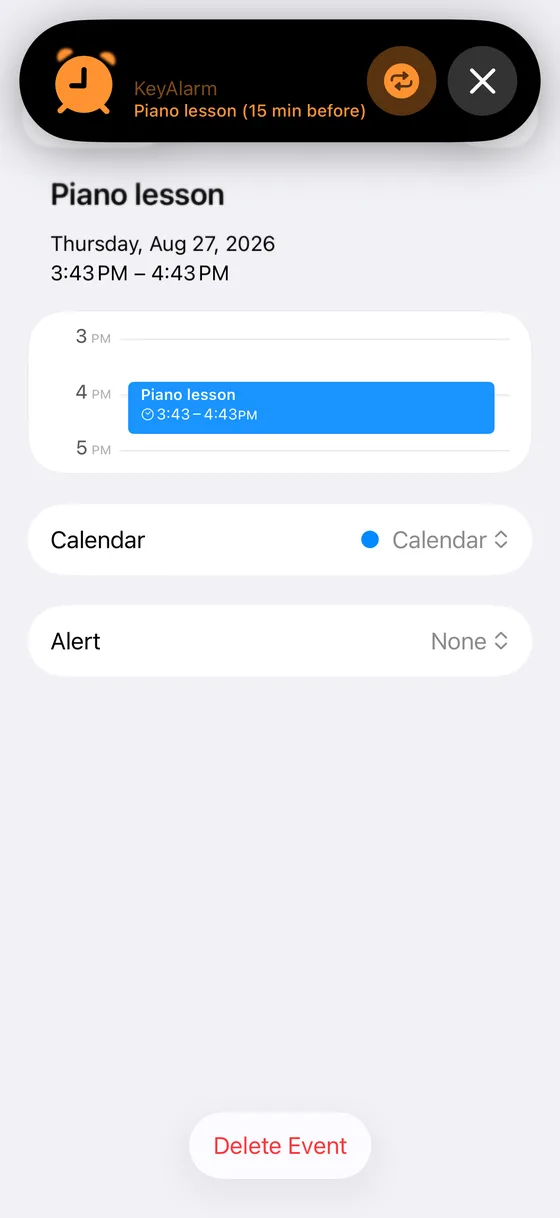
Add “Piano lesson” to your calendar and it's covered — this week, next month, forever. All automatic.
It rings when it matters
The same real alarms as the Clock app. They keep ringing until you stop them, so you can't miss them.
02Screenshots


03Features
Rings on silent. Rings in Focus.
Built on iOS 26's new AlarmKit framework — third-party alarms with the same authority as the system Clock app.
Several lead times per keyword
Thirty minutes before to get ready, five minutes before to leave. Two alarms, one rule.
Or take a whole calendar
Have a calendar just for your kid's activities? Skip keywords and ring every event in it.
Pause alarms for a few hours
Pause alarms for 1, 3, 6, or 24 hours when they shouldn’t ring, like at the movies. Resume with one tap. Pause and resume with Siri or Shortcuts, too.
Your events never leave your device
No servers, no accounts. App Privacy: “Data Not Collected”. See the privacy policy.
04Pricing
Free for 30 days. No subscription — pay once, keep it. And if the trial runs out, alarms you already set keep ringing; only new ones stop being added. Pricing varies by country — the App Store shows your local price.
05Specs
| When it rings | Any number of lead times per keyword (for example 30 and 5 minutes before) |
|---|---|
| Where it looks for the keyword | Event title (default), title and notes, or title, notes and location |
| Alarm sound | Chosen per keyword. Vibration only is also available |
| Days of the week | Pick days on which a keyword should not ring (for example, no alarm on office days) |
| Snooze | On or off, with its interval, per keyword |
| Calendars | All calendars or only the ones you choose. You can also ring every event in a calendar without a keyword and exclude certain words |
| All-day events | When turned on in Settings, rings once at a set time on the day (8:00 by default) |
| How far ahead | Alarms are scheduled 1 to 30 days ahead (14 by default) |
| Supported calendars | Any event shown in the iPhone Calendar app (iCloud, Google, Outlook, Exchange) |
| Requirements | iPhone with iOS 26 or later, iPad with iPadOS 26 or later (AlarmKit) |
| Languages | 9: English, Japanese, German, French, Spanish, Portuguese (Brazil), Korean, Simplified and Traditional Chinese |
| Pricing | Every feature is free for 30 days, then a one-time in-app purchase (no subscription). The price depends on your country; see the App Store |
For the appointments you cannot miss
Download on the App Store. Available in 9 languages.